Asterisk CallerID Perfected: CallerID Superfecta 2.0
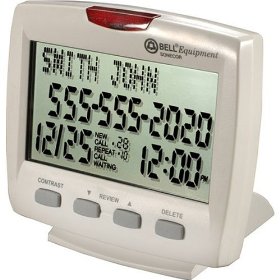
If you’re new to VoIP and Internet Telephony, it may come as a shock when you discover that incoming calls no longer display the names of your callers unlike your POTS CallerID service. The problem is that most telephone providers deliver only a CallerID number when sending calls. Your DID service provider is responsible for looking up the incoming number in their directory and supplying a matching name. Simply stated, CallerID numbers are pushed to recipients, but CallerID names must be pulled from in-house databases. With Ma Bell and siblings, this was easy because they had a monopoly on all of the records. They’ve done their best to preserve that advantage. For example, Google provides very good CallerID information for people in the traditional phone book but provides no facility for adding numbers of those that don’t have a Ma Bell line. Coincidence? Probably not. With Internet Telephony Hosting Providers, CNAM lookups are few and far between. A few now will provide CallerID lookups but only on a per call fee basis.
A similar problem arises for outbound VoIP calls that you place. Even though you may provide a CallerID name and number, most telephone companies throw the supplied CallerID name in the bit bucket and do their own lookups. If you’re not in their directory, your number or nothing will be supplied instead of your actual name. Bottom line: This is one major piece of the telephone monopoly that Judge Greene forgot to address. And it’s only going to get worse now that more people own cellphones than Ma Bell landlines.
With Asterisk®, the simplest solution is to do your own CNAM lookups. And today we’re delighted to introduce CallerID Superfecta 2.0, a FreePBX module with incredible flexibility. It also serves as a living testament to how open source development actually should work.
The History Lesson. We originally wrote an AGI script for Asterisk@Home known as the CallerID Trifecta. As sources of CNAM lookups expanded, a number of other individuals contributed code to support those lookups. The original application morphed into the CallerID Superfecta when these new sources were added, but all the code still resided in a difficult-to-maintain PHP/AGI script. Tony Shiffer picked up the ball last year and converted the CallerID Trifecta into a FreePBX module which made it incredibly easy to install the application and configure the providers you wished to use. Fast forward to today, and now Jeremy Jacobs, with help from other members of the PBX in a Flash Forum community, has taken the original work of a number of PBX in a Flash Forum participants and released a real masterpiece, CallerID Superfecta 2.0. It’s not only easy to install and configure, but now it’s incredibly flexible and simple to expand as more and more people begin contributing lookup routines to this open source project. And Tony has put the icing on the cake with a new SVN development site to track bugs and feature requests for this project and others as we move forward.

The CallerID Superfecta Design. As originally implemented, CallerID Superfecta let you choose one or more lookup sources for incoming CallerID numbers. When an inbound call arrived, the sources were queried in a specified order, and the first source that provided a matching CallerID name won. The CNAM search result was returned to Asterisk for display on your phone instruments, and the lookup procedure ended. The problem with the original design was that newer and better lookup providers continued to appear, the hard-coded search order wasn’t necessarily ideal for every user or organization, and the providers kept changing formats to make lookups more challenging. CallerID Superfecta 2.0 fixes all of that!
What’s New. For openers there are a number of new lookup sources as well as some tweaks to older sources that stamped out a few bugs from our previous, sloppy code.
The web user interface (UI) for FreePBX also has been totally reworked. Now you can prioritize the lookups in the order that best meets your needs. And, as new CNAM lookup sources become available, they are automatically added to the new UI. The code also has been modularized with separate templates for each provider. This makes the addition of new lookup sources incredibly simple to implement. There’s also a new debug function built directly into the web user interface. By entering a telephone number in the new debug field and pressing the debug button on the form, the results from your selected lookup sources together with the latency of each enabled data source are displayed on the form for you to review. This new debug function greatly enhances troubleshooting while serving as a terrific tool to assist in fine tuning which providers to actually enable and in what order. Providers who can’t be reached, or who perform too slowly, or who provide lousy results can be turned off completely or moved to the bottom of the search order. Finally, CallerID Superfecta 2.0 introduces prefix code hooks. This gives developers the ability to trigger an additional outside process when the Caller ID function is initiated. For example, this feature might be used in a call center to allow the system to automatically perform an ODBC query and bring up a customer record for use by a customer service representative.
Installing CallerID Superfecta 2.0. Installation and setup should be a snap on any of the FreePBX-based Asterisk aggregations including PBX in a Flash. First, using a browser on your desktop PC, download CallerID Superfecta 2.0 from the Superfecta repository. Do not decompress the .tgz archive. Second, open FreePBX with your browser and choose Admin, Module Admin, Upload Module. Browse and select the superfecta-2.x.x.tgz module from your desktop and click the Upload button. When the upload completes, click local module administration. Scroll down and click CID Superfecta. Click the Install or Upgrade radio button depending upon whether you have previously installed the Superfecta FreePBX module. Click Process, Confirm, Return to install the new module. Reload the Asterisk dialplan when prompted.
Configuring CallerID Superfecta 2.0. There really are only two steps to bring CallerID Superfecta on line. First , we’ll configure the lookup sources and search order of the lookups. And then, for each inbound route on your Asterisk system, we’ll tell FreePBX to use CallerID Superfecta as the CallerID lookup source.

To configure CallerID Superfecta, click Admin, Setup, CID Superfecta in FreePBX. If you’re using PBX in a Flash or trixbox, be sure to insert the UserName maint and your FreePBX maint password in the fields provided under General Options. Then choose the Services you’d like to use for queries by clicking on the corresponding Enabled buttons. If you’re unfamiliar with previous versions of the product, we’d recommend you start with Addresses, White Pages, Yellow Pages, Any Who, and Telco Data. If you use the Asterisk Phonebook, AsteriDex, or SugarCRM, enable those options as well. Our rule of thumb in prioritizing the searches is to move your personal directories (Asterisk Phonebook, AsteriDex, and SugarCRM) to the top of the list. For the remaining choices, we recommend you start with the following search order: Addresses, White Pages, Yellow Pages, Any Who, and then Telco Data. Telco Data normally returns only the city and state of the caller, not the caller’s name. Who Called requires registration. Once you get everything squared away, click the Save button. Then key in a few known phone numbers in the Debug section of the form and click the Debug button to make sure everything is working as you expected. Take note of the retrieval times and the results and adjust the search order to meet your needs. Remember, the first match on a name using the search sources from top to bottom wins. The other search sources are never consulted for this number.
For additional configuration options and tips on configuring SugarCRM, see this thread on the PBX in a Flash Forum.
Once you’re satisfied with your lookup sources and the search order, the only remaining step is to designate CID Superfecta as the CallerID lookup source in your inbound routes. For each inbound route on which you want CallerID lookups performed, click Admin, Setup, Inbound Routes and choose the desired route from the column of routes on the right margin. Scroll to the CID Lookup Source section of the form and choose CID Superfecta from the dropdown box. Click Submit, Apply Config Changes, Continue to save your entry. Enjoy!
Good Things Are Coming. Sometimes you can just sense that something really terrific is about to happen with a project that’s been properly nurtured. So it is with PBX in a Flash. Many of us invested countless hours in the Asterisk@Home project, but it just never quite took off in terms of fostering independent development. And that is what open source is all about. When we started the PBX in a Flash project with Tom King and Joe Roper, we wanted something different, a participatory platform that could get folks excited about Internet telephony and open source development. As long time readers of this column know, we’ve pumped lots of applications into PBX in a Flash in hopes of encouraging others to catch the spark. Well, we’ve made it. CallerID Superfecta 2.0 is a perfect example of a creation from a developer who hasn’t previously contributed to any open source project. And there now are many more in the works. So we’re excited for the Asterisk community. Seeing your baby grow up is quite a thrill. We’re quickly building a network of application developers and contributors of many varieties, and it is starting to transform a really good telephony toolbox into a really spectacular application platform. Have a look at this new project to get a glimpse of what lies ahead.
This isn’t a private club. If you’d like to participate in a big or a small way, please visit our new, non-denominational Development Site and kick the tires. The objective is to create applications that can run on any of the FreePBX-based Asterisk distributions. So, while we’re a little biased, you don’t have to be to join in on the fun. Just click the Register link at the top of the form. Welcome!!!
Other Coming Attractions. Well, we got distracted again this week because CallerID Superfecta 2.0 was such as terrific new product. We’ll wrap up the Orgasmatron Installer tutorial in our next column. Stay tuned!
Security Alert. Secunia has published some security vulnerabilities in FreePBX. Upgrade all of your FreePBX modules at your earliest convenience.
Twitter Magic. If you haven’t noticed the right margin of Nerd Vittles lately, we’ve added a new link to our Twitter feed. If you explore a little, you’ll discover that the user interface now brings you instant access to every Twitter feed from the convenience of the Nerd Vittles desktop. Enjoy!
whos.amung.us If you’re wondering what your fellow man is reading on Nerd Vittles these days, wonder no more. Visit our new whos.amung.us statistical web site and check out what’s happening. It’s a terrific resource both for us and for you.
New Vitelity Special. Vitelity has generously offered a new discount for PBX in a Flash users. You now can get an almost half-price DID and 60 free minutes from our special Vitelity sign-up link. If you’re seeking the best flexibility in choosing an area code and phone number plus the lowest entry level pricing plus high quality calls, then Vitelity is the hands-down winner. Vitelity provides Tier A DID inbound service in over 3,000 rate centers throughout the US and Canada. And, when you use our special link to sign up, the Nerd Vittles and PBX in a Flash projects get a few shekels down the road while you get an incredible signup deal as well. The going rate for Vitelity’s DID service is $7.95 a month which includes up to 4,000 incoming minutes on two simultaneous channels with terminations priced at 1.45¢ per minute. Not any more! For PBX in a Flash users, here’s a deal you can’t (and shouldn’t) refuse! Sign up now, and you can purchase a Tier A DID with unlimited incoming calls for just $3.99 a month and you get a free hour of outbound calling to test out their call quality. To check availability of local numbers and tiers of service from Vitelity, click here. Do not use this link to order your DIDs, or you won’t get the special pricing! After the free hour of outbound calling, Vitelity’s rate is just 1.44¢ per minute for outbound calls in the U.S. There is a $35 prepay when you sign up. This covers future usage and any balance is fully refundable if you decide to discontinue service with Vitelity.Some Recent Nerd Vittles Articles of Interest…


If you're relatively new to Internet Telephony and VoIP, then it may come as a bit of a surprise when CallerID for incoming calls shows the phone number for both the name and number of the incoming caller or when names that popped up using your plain old telephone's CallerID service no longer do. The problem is that most telephone providers only deliver a CallerID number when sending calls. Thus it is left to your service provider to look up the incoming number in a directory and supply the matching name. To put it another way, CallerID numbers are pushed to recipients, but CallerID names must be pulled from in-house databases. With Ma Bell and siblings, this was easy because they had all of the records. With some Internet Telephony Hosting Providers, it's a different story. The reverse is also problematic. Even though you may provide a CallerID name and number, most telephone companies throw the supplied CallerID name in the bit bucket and do their own lookups. So... if you're not in their directory, your number or nothing will be supplied instead of your actual name. Just another last vestige of monopoly preservation. With Asterisk®, the simplest solution to this mess is to do your own lookups. And today we have an updated CallerID directory lookup service to assist: the
Vitelity Special: Time Is Running Out. Remember, you only have 
Twitter